
Why Does Google Show Your Competitor and Not You?
Your Google profile lets you list around 30 services. Most practice owners list five or six, and almost none of them have a page on the website behind them. That gap is why the practice down the road shows up on Google Maps and you don't.
Rather see how this works for your own practice? Watch the short breakdown →
Your Google profile lets you list around 30 services. Most private practice owners I look at have listed five or six, and they have a page on their website for almost none of them.
That gap is the reason the practice down the road shows up on Google Maps and you don’t. It’s not your reviews. It’s not your SEO company. It’s this.
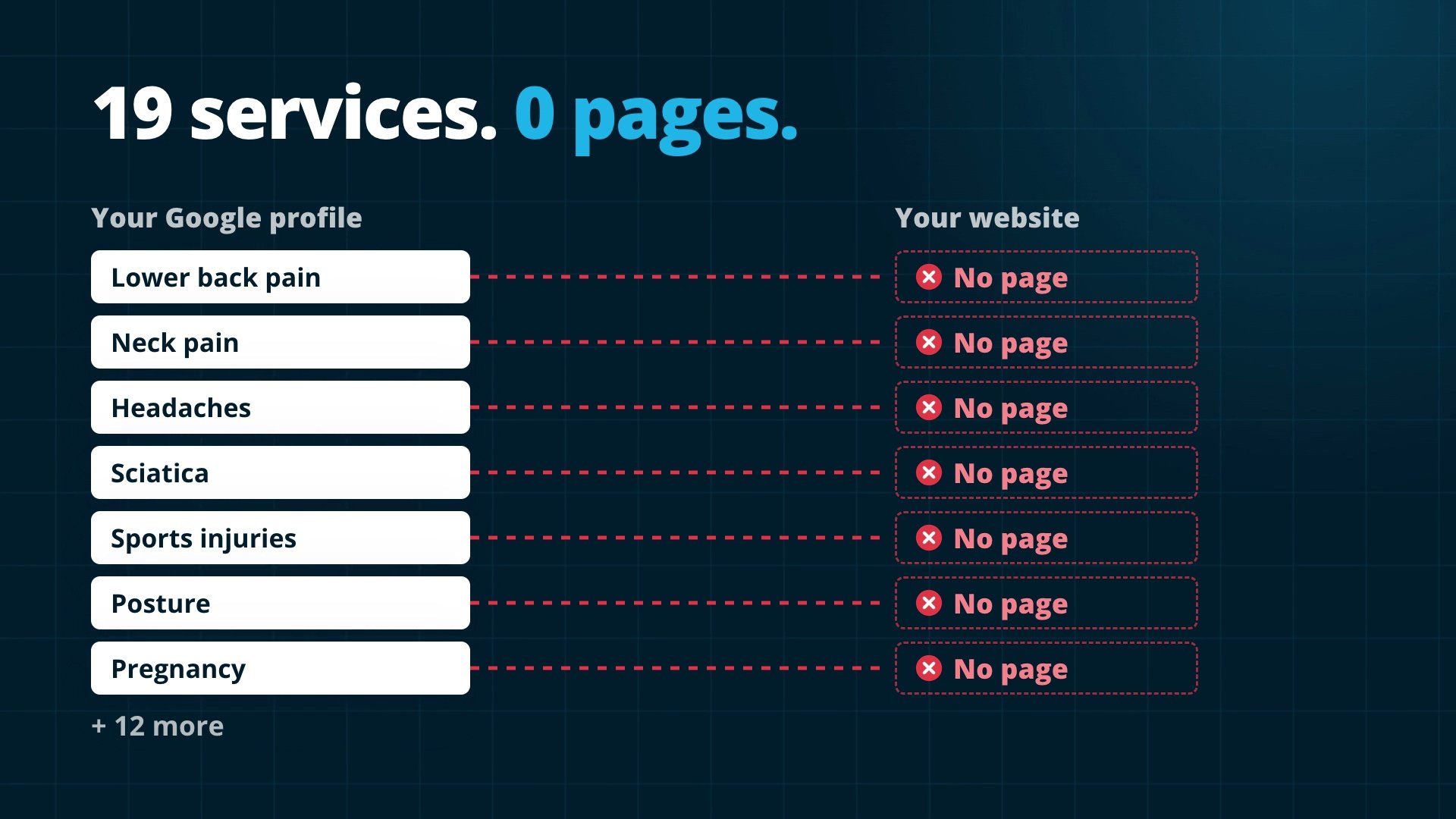
In the last two weeks I’ve sat down with seven practice owners: chiropractors, an acupuncturist, a physical therapist and a doctor. Every one of them got the same advice from me. One practice had 19 services on their profile, and not one of them led to a page on their website. They were paying an SEO agency every month, and nobody had told them.
The fix takes four steps, and you can start on the first one today. I’ll use a chiropractor as the example the whole way through because it’s easy to picture, but it works exactly the same for a dentist, a physiotherapist, a psychologist or a podiatrist.
What a service on your Google profile is
When you set up your Google Business Profile, you pick categories, like Chiropractor. Google lets you pick about ten. Inside those you list services: lower back treatment, neck pain, sports injuries, headaches, pregnancy chiropractic.
When someone near you searches “chiropractor for lower back pain near me”, Google looks at every practice in the area and asks one question: who’s the best answer for this person?
To answer it, Google checks two places. Your profile tells Google you offer lower back pain treatment. Your website is meant to prove you actually know it, with a page that explains what lower back pain feels like, what causes it, how you treat it and what the first visit looks like.
If the profile says it and the website proves it, they match, and Google shows you. If the profile says it and there’s no page behind it, Google just doesn’t believe you. It sends that patient to someone who did the work.
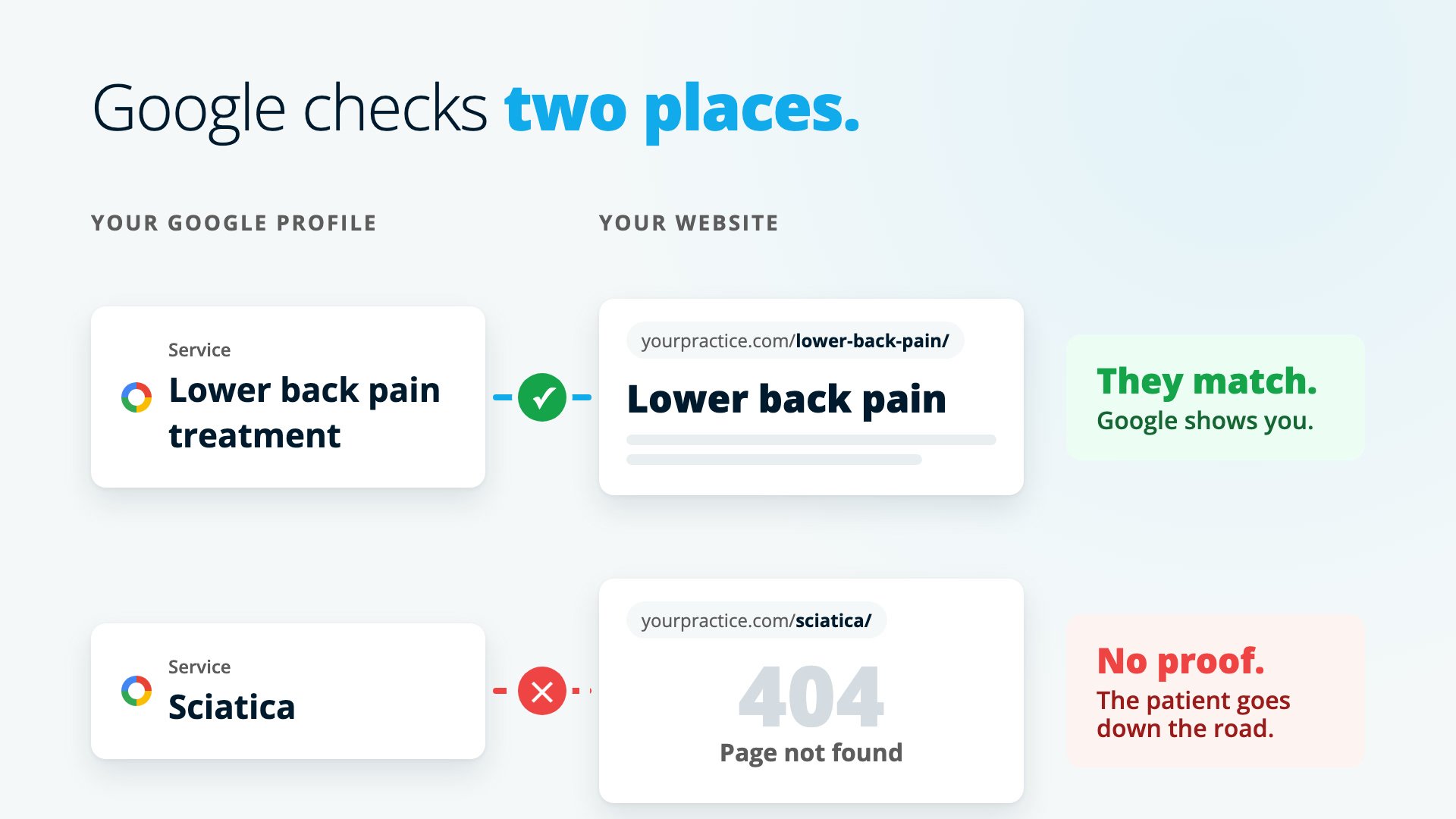
I explained this to a chiropractor last week and he said: “So Google needs to see it twice before it trusts me?” That’s it exactly. Your Google profile and your website carry equal weight now, and they have to back each other up.
Step 1: Fill all 30 services
Open your Google profile and count your services. If you’re like most practice owners, the number is somewhere between one and six.
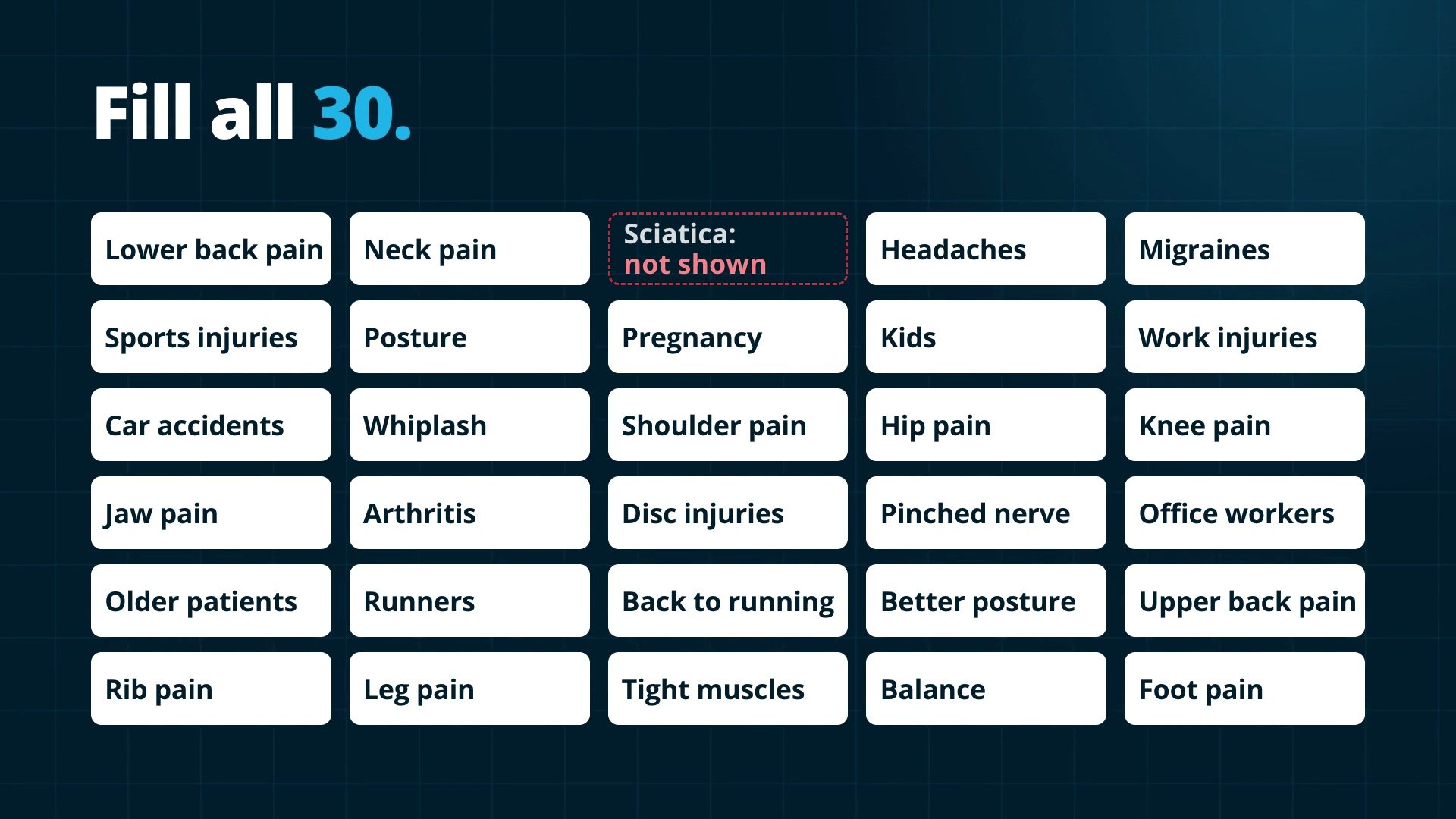
Now write down everything you actually treat. Leave your techniques out of it and write what patients come in with: lower back pain, neck pain, sciatica, headaches and migraines, sports injuries, posture, pregnancy, kids, work injuries, car accidents. Most chiropractors get to 20 without trying. So do most dentists, physiotherapists and podiatrists.
That’s 20 things a patient types into Google, and right now you’re only putting your hand up for six of them.
When I pull up the competitors next to you on Google Maps, they’re almost always the same. One service, two services. Most practices in every profession have never filled this in, so it’s a race nobody’s running yet.
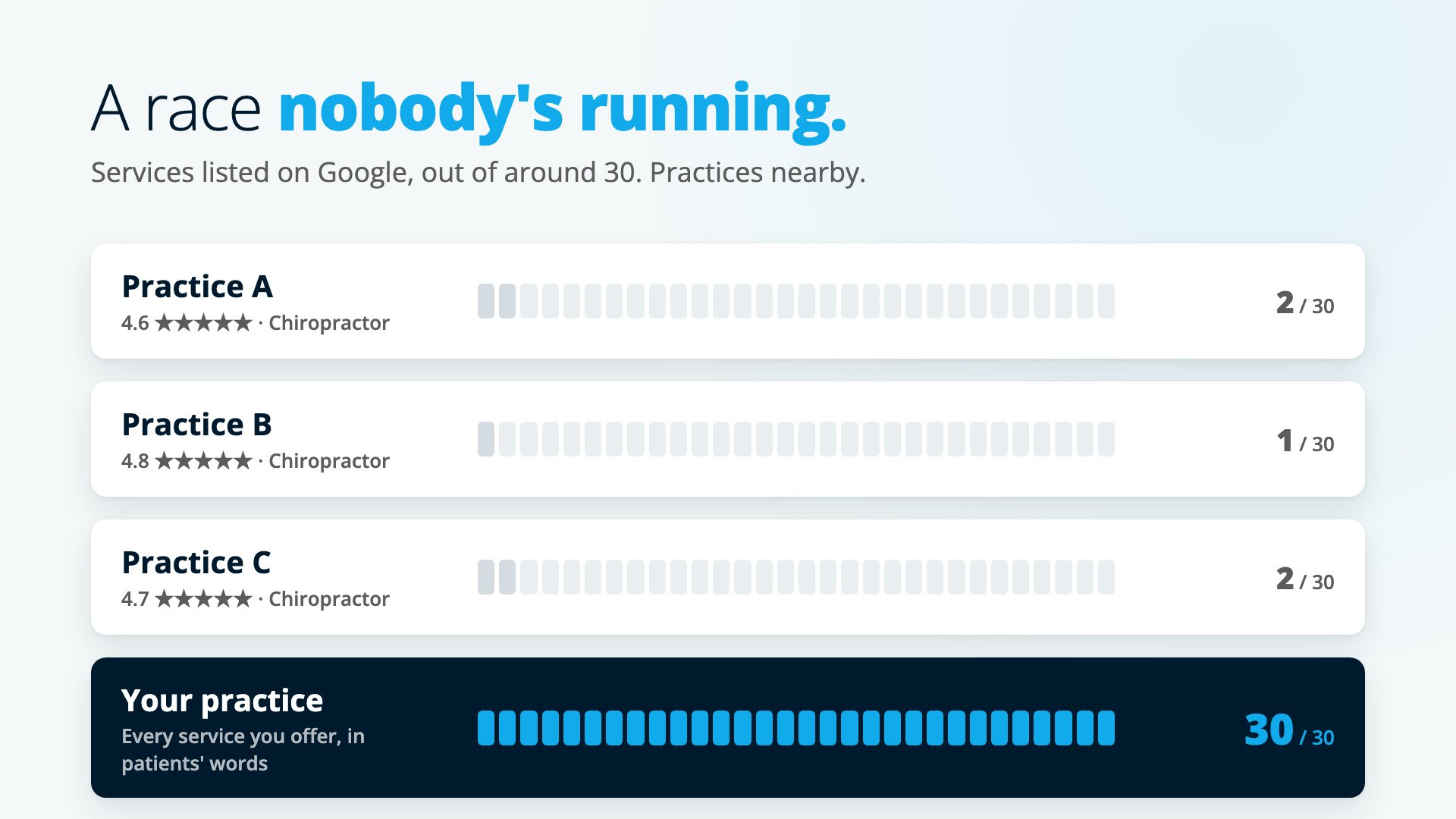
Your goal is to fill all 30. Every slot you leave empty is a search you’re not showing up for. If you’re stuck at 20, go through it the way patients come in:
- Who you see: kids, pregnant women, older patients, office workers.
- What happened to them: a car accident, a work injury, a sports injury.
- What they want: better posture, getting back to running.
Only list what you actually do, though most practices do far more than they’ve listed. And use the words your patients use. Nobody searches for lumbar spine dysfunction. They search for lower back pain, so that’s what the service is called.
That’s step one, and it’s about 20% of the job. A chiropractor I spoke to had made exactly this list and still wasn’t in the top three, because he’d stopped there.
Step 2: One service, one page
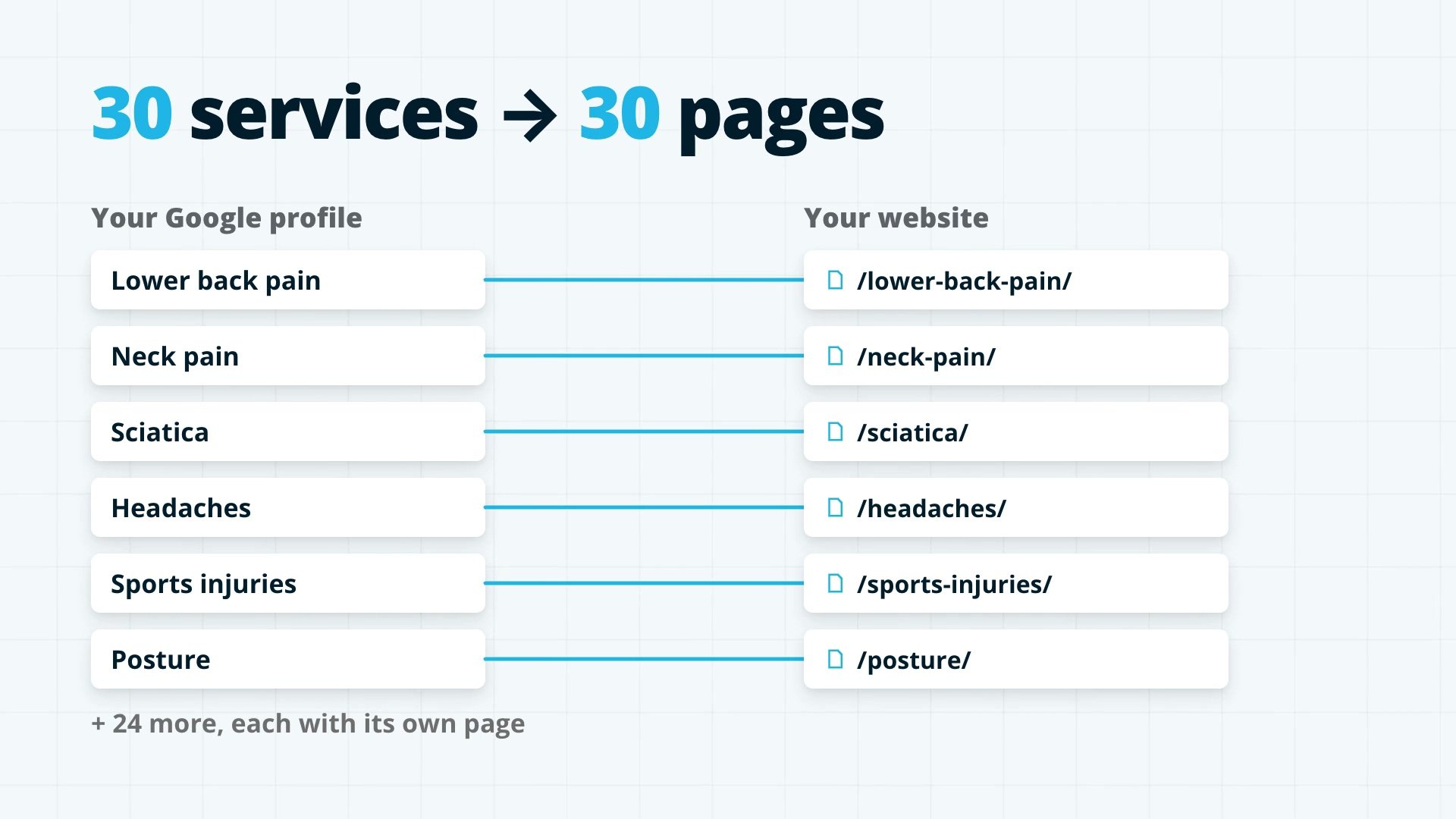
Every service on your profile gets its own page on your website. Thirty services, thirty pages.
One page called Services with 20 bullet points doesn’t count. Google can’t tell from a bullet point that you’re any good at sciatica. A bullet point is a claim. A page is proof.
Google doesn’t rank businesses, it ranks pages. When someone searches “chiropractor for sciatica”, Google looks for the best page about sciatica. If you don’t have one, you’re not even in the running for that search, however good you are. (ChatGPT works the same way, which is why AI search starts with these pages too.)
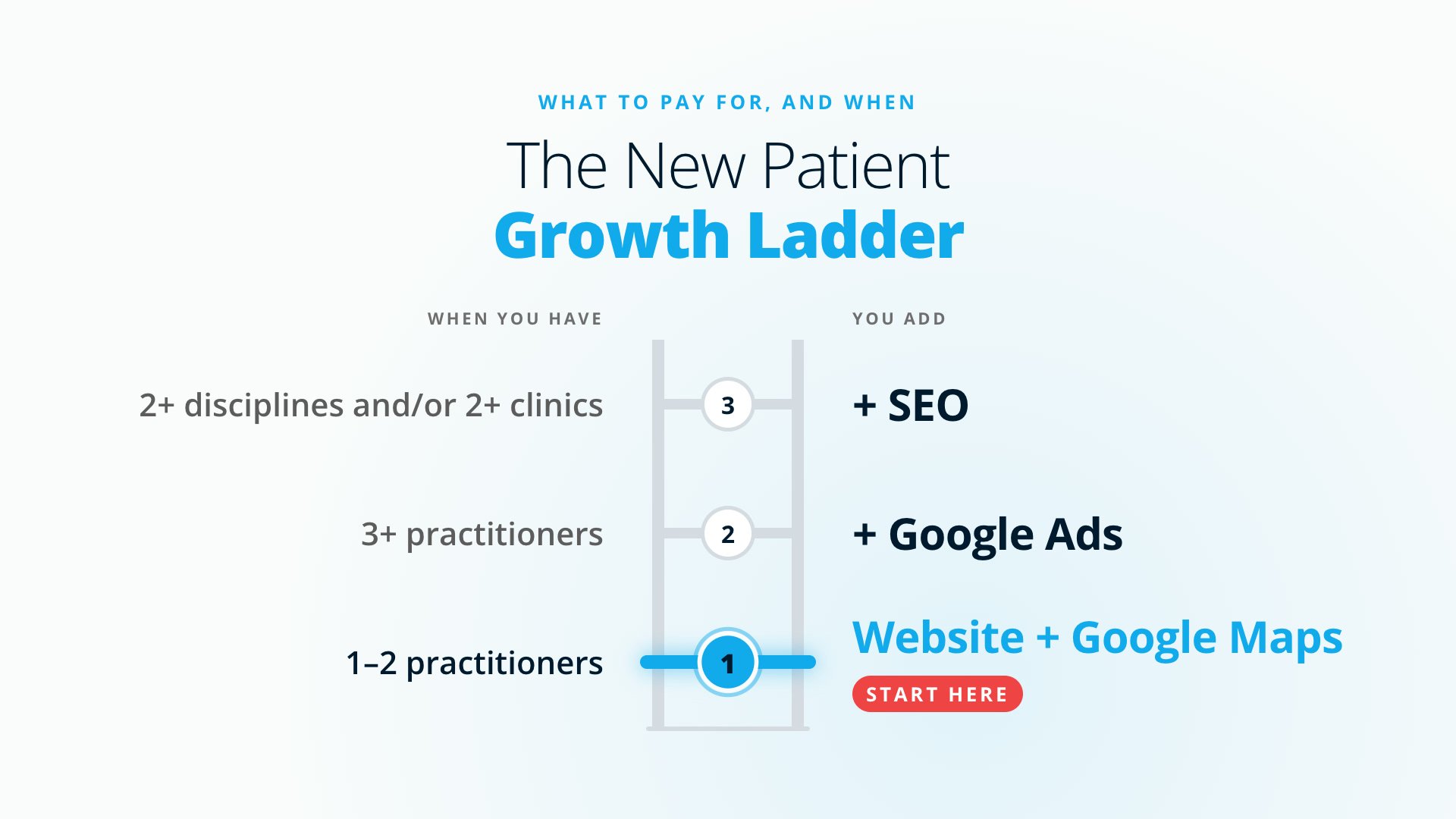
This is rung one on what we call the New Patient Growth Ladder: your website and your Google Maps listing done properly. For a practice with one or two practitioners, it’s often all you need before you spend anything on ads or ongoing SEO. I explain the rest of the ladder in why most practices shouldn’t buy SEO.
I know what you’re thinking: “Thirty pages? I don’t have time to write thirty pages.” Hold that thought. It’s easier than you think, and I’ll come back to it after step four.
Step 3: Make your profile and your pages match
You’ve got the list and a page for each one. This next step is the one most people skip, even when they’ve done the first two.
Your profile and your pages have to point at each other. Google won’t let you paste a web address into a service, so you connect them another way, in four parts:
- The exact same name. If the service on your profile is “Lower back pain treatment”, the page on your website is called “Lower back pain treatment” too, not “Spinal care solutions”. Use the same words so Google can see they’re the same thing.
- Every service page in your menu, under Services or What we treat. Google reads your menu to understand what you do. A page that isn’t in the menu is like a room with no door.
- Your profile’s website link goes to your homepage, and every service page is one click away from there.
- Add your main services as Products too. Unlike services, products can link to a page, so link each one straight to its page.
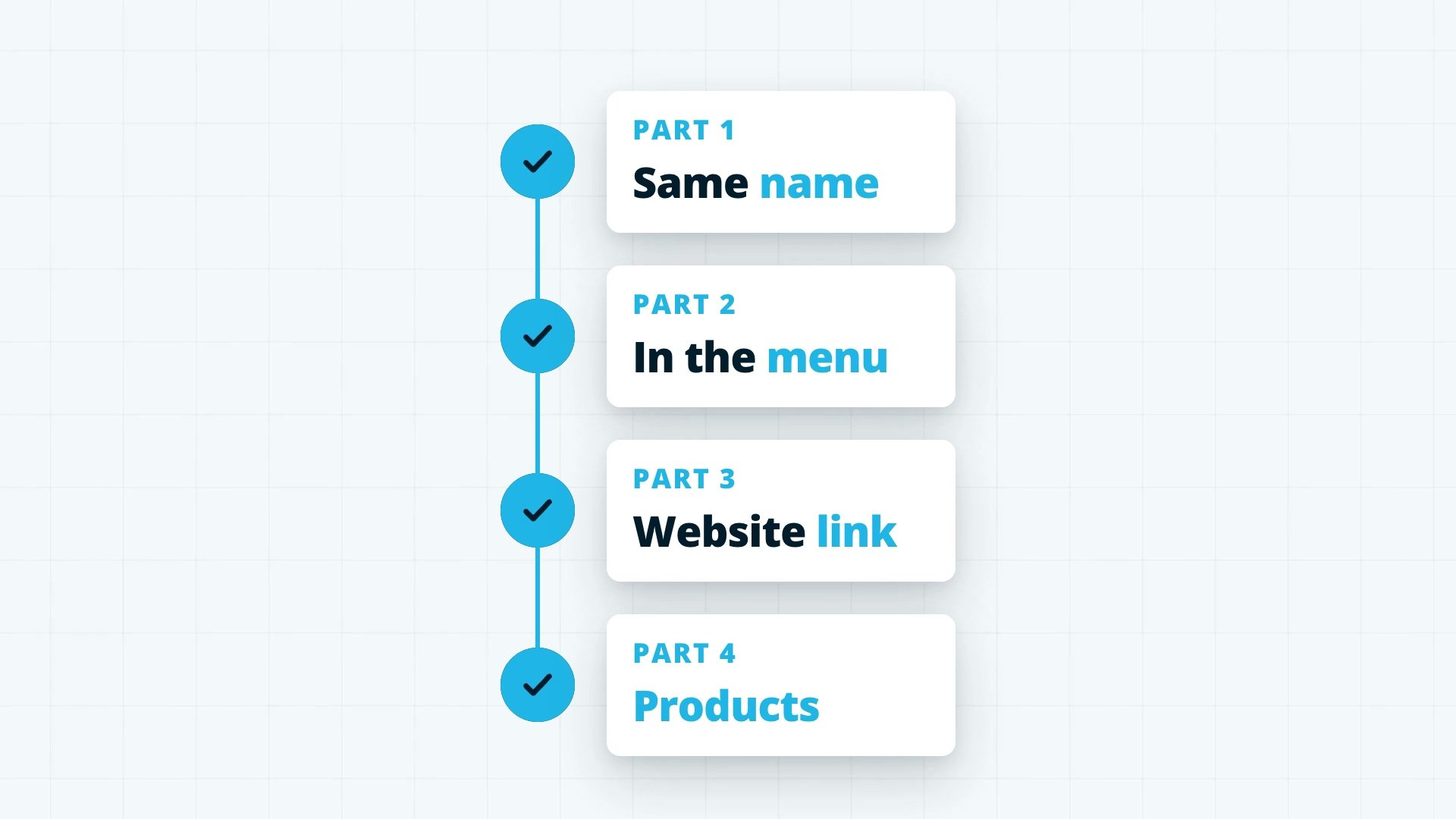
When those four are done, Google can see the service on the profile, find it on the website and see they’re the same. That’s when it starts to trust you and rank you.
Remember the practice with 19 services? Brilliant list. Then I clicked through to their website, and not one of those 19 had a page behind it. They’d done the listing, and that was it.
Step 4: Pages that book patients
The last step decides whether the page actually books patients. Every page has to be good enough that a patient reads it thinking, “This person understands my problem.”
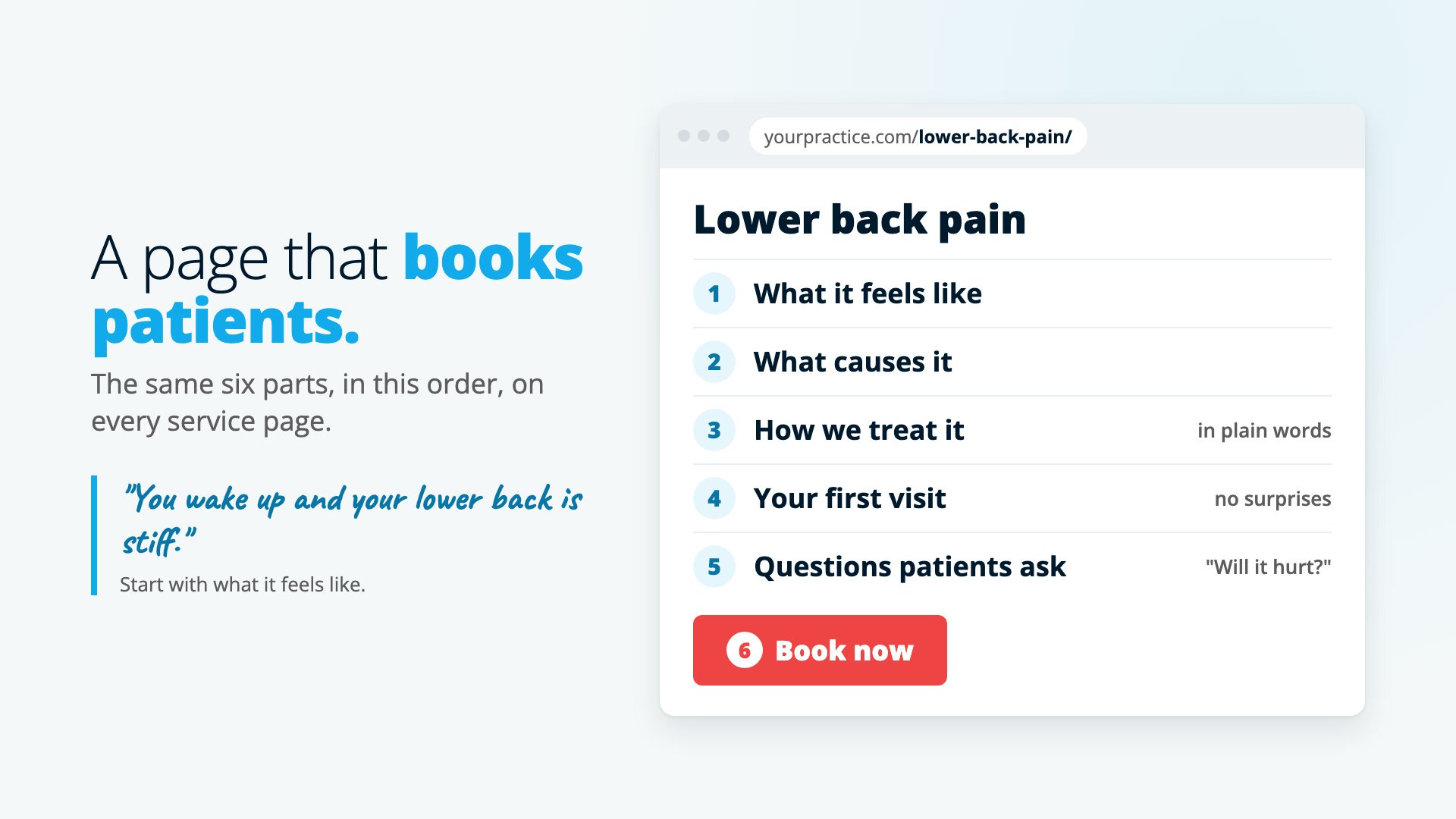
Put these on each page, in this order:
- What it feels like. You wake up and your lower back is stiff. Bending down to put your shoes on hurts. It’s worse after a long day at your desk. If you can describe their pain better than they can, they’ll trust you with the fix.
- What causes it.
- How you treat it, in plain words.
- What happens on the first visit, so there are no surprises.
- A few real questions patients ask you, like “How many visits will I need?” and “Will it hurt?”, with your answers.
- A Book Now button on every page.
“I don’t have time to write 30 pages”
You already know all of this. You explain it to patients every day. So don’t sit down and write. Talk.
Get someone to ask you ten questions about sciatica and record it on your phone. That’s your page. It’s in your words and it comes from your experience, and that makes it better than anything an AI tool writes on its own, because AI gives you the average of every page on the internet. Your patients don’t want average. They want you.

And don’t copy one page 20 times and change the word neck to back. Google sees that straight away. Each page has to be about that one problem.
Start with your top five, the five things patients come in with most. Do those well, then add the next five. Today, write down the five services that bring in the most patients. Those are your first five pages.
Why agencies skip this
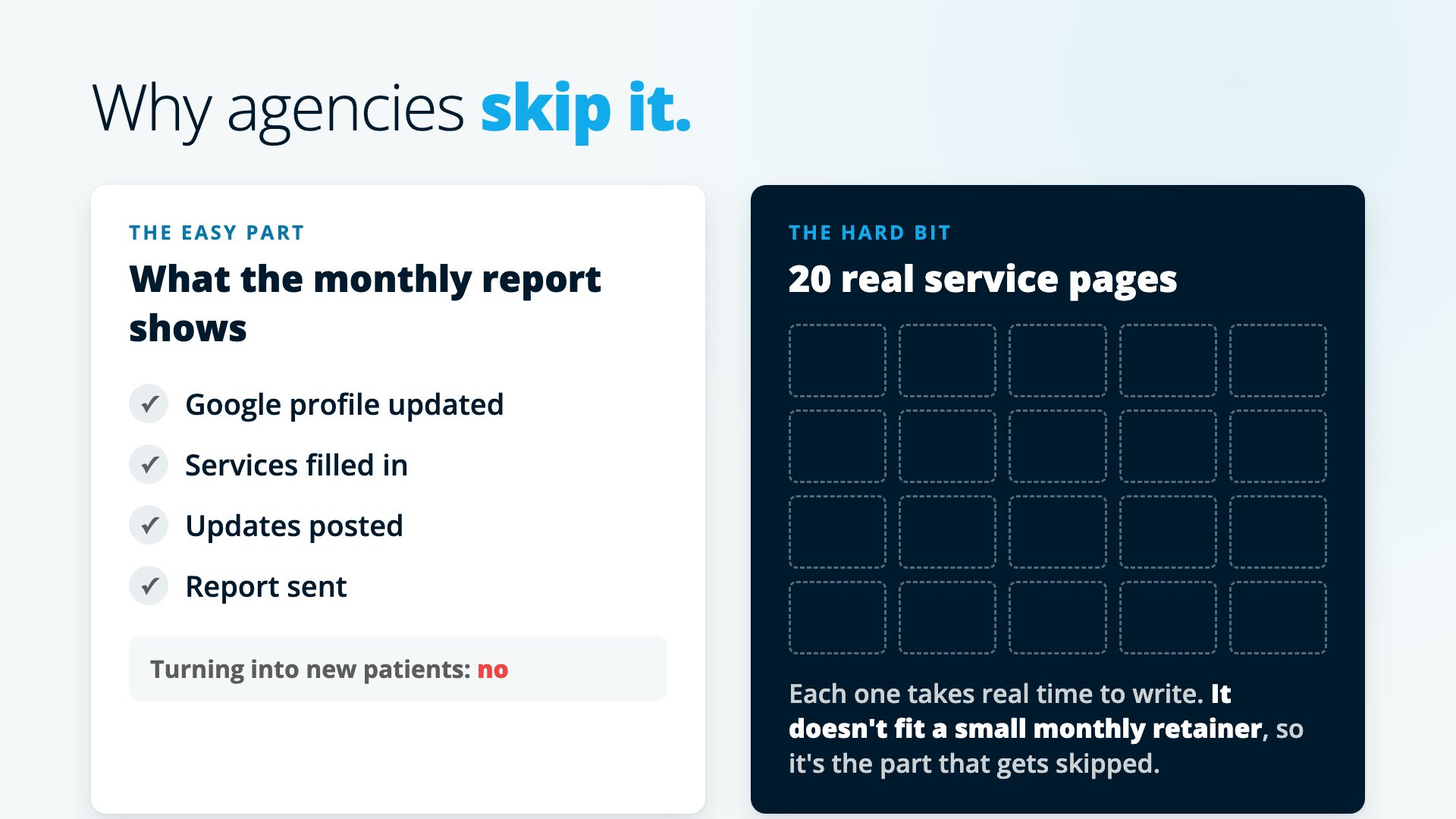
That practice with 19 services and no pages was paying an agency every month. The agency had updated the Google profile, filled in the services, posted updates and sent reports. None of it was turning into patients, because they skipped the hard bit.
The hard bit is the website. Writing 20 real pages takes time, and you can’t do it on a small monthly retainer. So most agencies do the easy part and stop.
There’s an old saying: when you’ve got a hammer, everything looks like a nail. An ads agency sees an ads problem. A social media agency sees a social media problem. Almost nobody looks at the profile and the website together.
That’s why this works so well. Most of your competitors haven’t done it, because their agencies never told them. When you do it, you jump them. Of everything I show practice owners on these calls, this is the one that books more appointments than anything else. (If you want to see what happens when a practice skips all of it, read about the chiropractor paying $30,000 a year for marketing. He had six services on his profile and almost no pages behind them.)
The four steps in one minute
- Fill all 30 services on your Google profile with things you actually offer, in your patients’ words.
- Give every service its own page on your website.
- Make them match: the same name, every page in your menu, your profile linking to your site, and Products linking to each page.
- Write each page in your own words, starting with what the patient feels, with a Book Now button.
If you’d rather we check it for you, book a New Patient Growth Call below. I’ll go through your profile and your website before the call and show you exactly which pages are missing. And if we build it for you, it’s a one-off fee, no retainer.
Questions practice owners ask
How many services can I list on my Google Business Profile?
Around 30. Google doesn't publish an exact limit. Most practices we look at have listed between one and six.
Can I link a service on my Google profile to a page on my website?
Not directly. Google won't let you paste a web address into a service. You connect them another way: the same name on the profile and the page, every service page in your website menu, your profile's website link going to your homepage, and your main services added as Products, which can link straight to their page.
Does every service really need its own page?
Yes. One page called Services with 20 bullet points doesn't count. Google ranks pages, so when someone searches for sciatica it looks for the best page about sciatica. No page, and you're not in the running for that search.
Can I use AI to write my service pages?
On its own it gives you the average of every page on the internet. Record yourself answering ten questions a patient asks about the problem and build the page from that. It comes out in your words, from your experience.
Can I copy one page and change the condition name?
No. Google spots a page copied 20 times with neck swapped for back straight away. Each page has to be about that one problem.
Ready to find your missing patients?
Book your free New Patient Growth Call
45 minutes on Zoom. Before the call I go through your website and your Google profile. On the call I show you the pages you're missing and how many searches each one could bring in. You keep the plan whether you work with us or not.
Book your Growth CallNot ready for a call?
Watch how it works first
A short video on why practices with no SEO retainer are getting more new patients from Google and ChatGPT.
Watch the video